WhatsApp Username: a step-by-step guide to reserve and protect your brand (2026)
WhatsApp opened username reservations on June 29, 2026: a unique handle (@yourbrand) so people can reach you without your phone number. It is first come, first served, with no formal trademark dispute process, so any brand that does not reserve its handle in time can lose it. Step-by-step guide, rollout status, how to protect your name, and how not to lose customers.
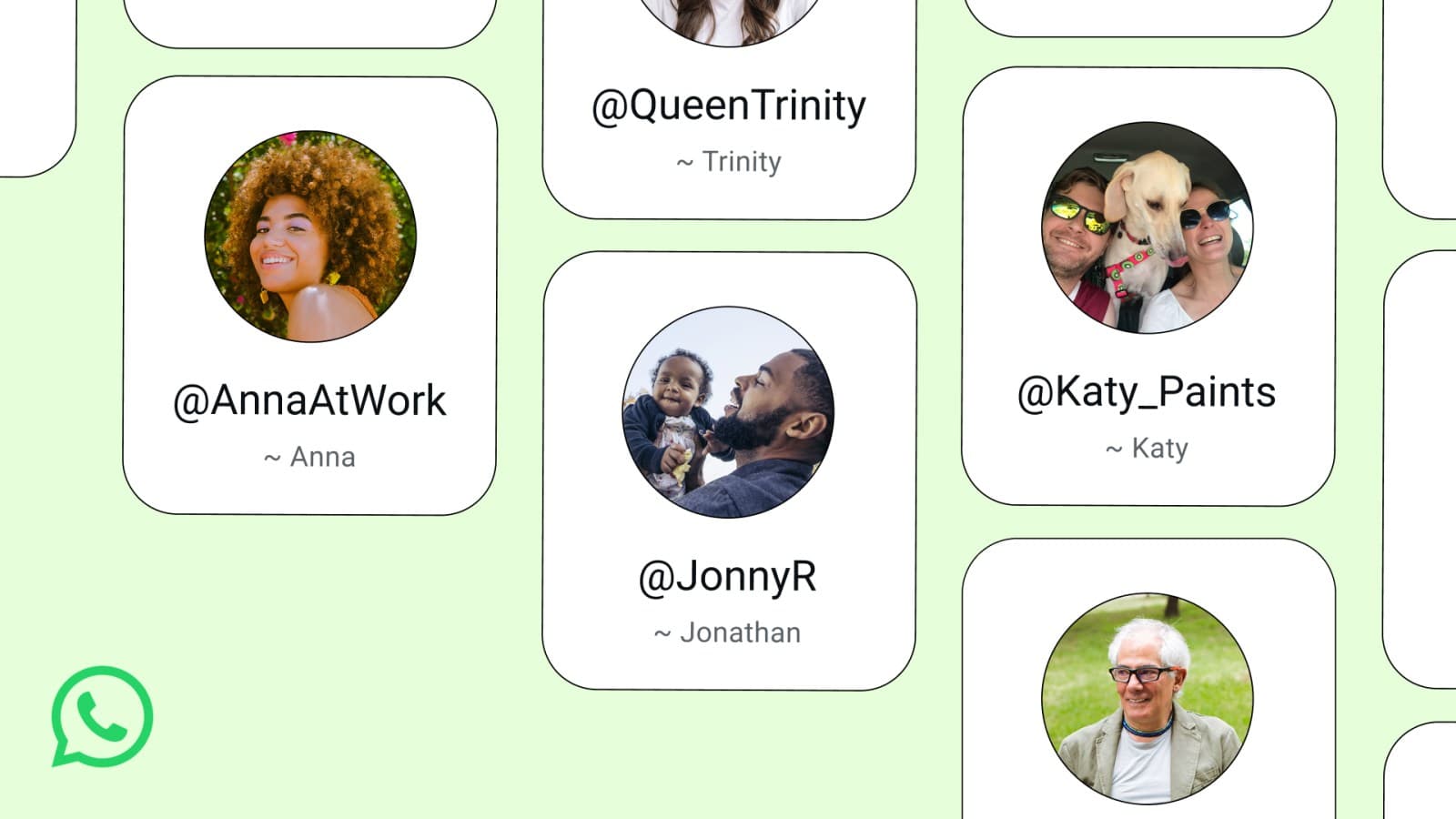
The short answer: claim your brand’s username today. Since June 29, 2026 any account can reserve its WhatsApp Username (for example @yourbrand) under Settings > Account > Username. It’s a unique handle that lets people message you without seeing your number. It’s assigned first come, first served, with no formal trademark dispute process: if someone grabs your brand’s handle first, getting it back is an uphill battle.
If you sell fashion, beauty or cosmetics on WhatsApp, your handle is the conversational version of your Instagram and TikTok @: the door a customer walks through to go from seeing your content to talking to you. This is the complete playbook we use at yavendió! so the brands we work with lock in their name before the competition. Read it all the way through and share it with your team.
What is a WhatsApp username?
A username is a unique, optional, privacy-focused handle that lets people find and message you without knowing your phone number. It works like your Instagram @: one per account, you choose it, and it represents you inside WhatsApp.
A point that gets misunderstood a lot: the username does not replace your number. Here are the real differences:
- Your number is still required to create and keep the account. The username is a layer on top, not a substitute.
- Your number is only hidden from new contacts. Anyone who already has you saved still sees your number; the username protects your privacy from people reaching you for the first time.
- Usernames are not searchable. There is no public directory or autocomplete inside WhatsApp: to message you, people must know your exact handle. That is why discovery depends on you (your bio, your campaigns, your packaging), not on a search box.
- End-to-end encryption stays the same as in any WhatsApp chat.
When it’s rolling out
Two things to separate: reservations are already open almost everywhere, but activation (actually using it and hiding your number) arrives in waves, country by country, over the coming months of 2026. WhatsApp notifies you inside the app when it’s live where you are. Right now the move is the same everywhere: reserve.
Where available, turn on Meta Verified. The blue badge verifies your account, and Meta proactively monitors and removes accounts impersonating you — an extra layer of protection against scammers.
Beware of fake dates. Supposed “launch dates” are circulating that no official channel confirmed. The only truth today: reserve now and watch for the in-app activation notice during 2026.
How to reserve your username, step by step
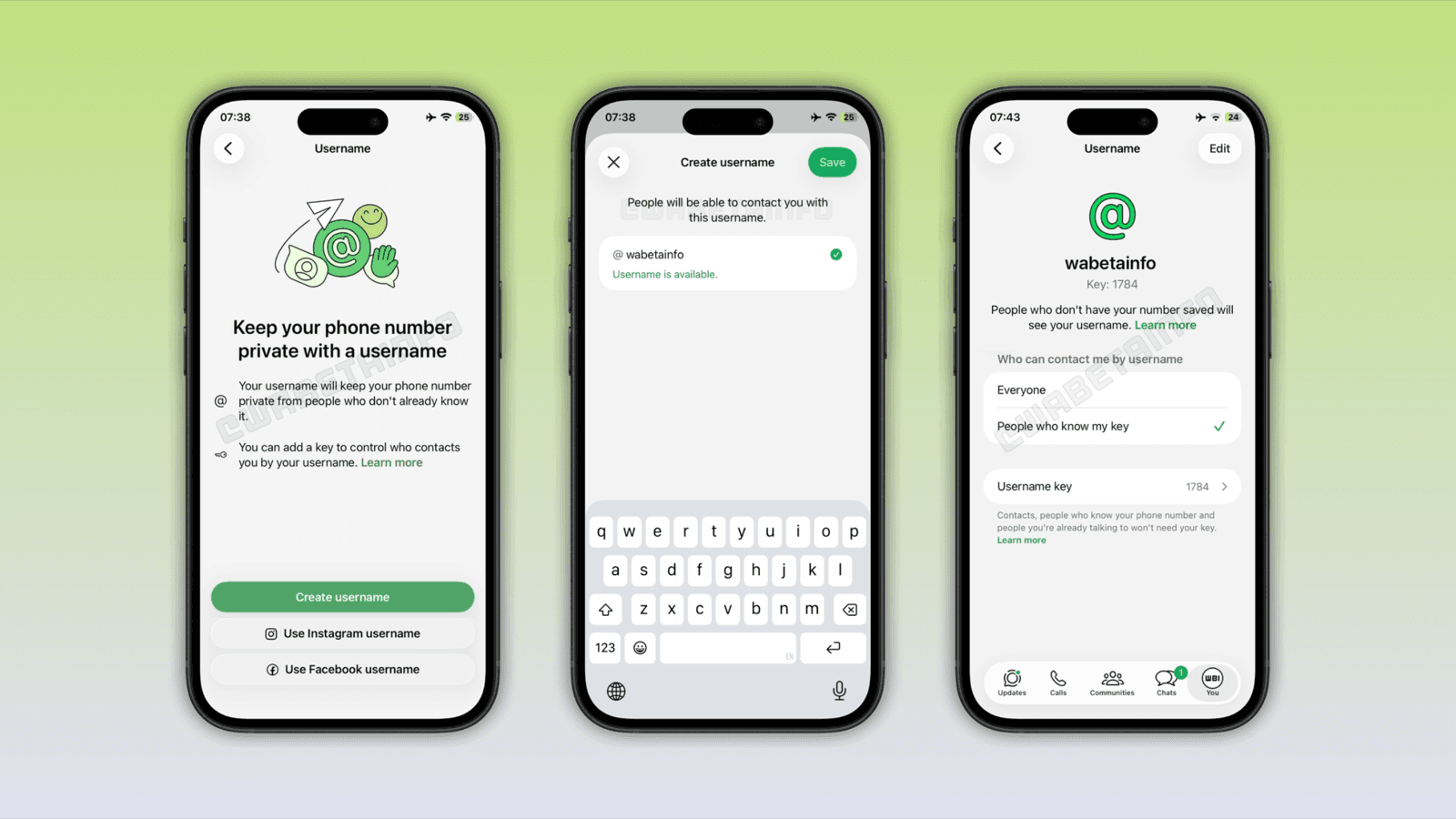
You need the latest version of WhatsApp. The path is Settings > Account > Username (on iPhone it starts in the You tab > your profile). Here are the steps:
- 1Open WhatsApp and go to Settings. On Android it’s the three-dots icon; on iPhone, the Settings tab.
- 2Tap “Account”. That’s where privacy, security and the username live.
- 3Open “Username”. You’ll see “Reserve username”. If it’s not there yet, update the app: it’s being enabled by region.
- 4Type your brand’s @ (the same one as on Instagram). WhatsApp checks availability live; if it says “Available”, tap Save.
- 5Already taken? Pick a close, coherent variation WhatsApp suggests (avoid odd names that confuse your customers).
- 6Done: you’ll see “Username reserved”. Your @ is locked to your name and WhatsApp notifies you in the app when it goes live where you are.
If you run a business account through the WhatsApp Business API (like the ones we operate at yavendió!), the username is reserved from Meta Business Suite / WhatsApp Manager, not the app. If you sell with us, we’ll flag it and set it up for you.
Username rules: what’s allowed and what isn’t
| Rule | Detail |
|---|---|
| Length | 3 to 35 characters |
| Allowed characters | Lowercase letters (a-z), numbers, dots ( . ) and underscores ( _ ) |
| Required | Must include at least one letter (can’t be only numbers) |
| Not allowed | Starting or ending with a dot, two dots in a row, starting with “www” or ending in a domain (.com, .net…) |
| Uniqueness | It’s unique: no one else can have the same username |
Brand tip: use exactly the same handle as on Instagram and TikTok. Consistency makes customers recognize you instantly and removes the confusion impersonators exploit. Keep it short and easy to say out loud.
How to protect your brand from impersonation
WhatsApp only pre-protects names of public figures, governments and verified accounts. A small brand is not shielded automatically: whoever reserves first wins. Your defenses, in order:
- Reserve first (free). It’s your number-one shield. Grab the obvious variations too (@yourbrand.official, @yourbrand.shop).
- Username key. An optional 4-digit code: anyone messaging you for the first time must know your exact @ and that key. Anti-spam shield.
- Blue badge (Meta Verified). Verifies your account and Meta removes accounts impersonating you. Availability varies by country.
- Consistency. The same @ across every network. An odd or different handle per network is the impersonators’ way in.
If someone already took your handle or is impersonating you
The practical route: report the user and the suspicious messages inside the chat (WhatsApp can revoke the name or ban the account). For trademark infringement there’s a WhatsApp intellectual-property form that asks for concrete evidence: screenshots with number, date, time and chat name; your trademark registration certificate; and the link to your official presence. Having a registered trademark strengthens your case. Note: there’s no guaranteed recovery timeline, so preventing (reserving) is far cheaper than fixing it later.
Don’t lose your new customers
This is what hits your sales the most. When a new customer messages you with a hidden number, you no longer capture their phone “for free”. To reach them again (promos, restock, repurchase) you need them to agree to share their contact, with an explicit opt-in step. The tactic that works is asking at checkout, offering something useful in return:
“To send you your order updates and let you know when it’s back in stock 💖, can I save you with your number? We’ll only message you as [Your Brand].”
- Name your brand whenever you ask for permission: Meta requires it to validate consent.
- Separate the “order updates” opt-in from the “promotions” one. Don’t mix them.
- Store every opt-in in your CRM. The phone number stops being the only thing that identifies a customer, so managing your contacts well stops being optional.
What people are saying
Public sentiment is split between excitement about privacy and fear of scams. Worth knowing so you can communicate with confidence to your customers:
“Usernames are a great idea to avoid leaking your phone number to folks you don’t know, but it’s important to verify identity with the username function too.”
— Rachel Tobac, security expert (SocialProof Security)
“Critics worry the system could enable impersonation, scams, and phishing, especially if well-known or similar usernames are claimed by the wrong people.”
— Cybernews
The takeaway for your brand: use privacy as a selling point (“shop without sharing your number”) while making crystal clear which account is really yours (@ + badge). In beauty and fashion, trust is half the sale.
My take: a discovery opportunity (and a management challenge)
Straight up: usernames are one of the best pieces of news in years for brands that sell on WhatsApp. For the first time you can be found by your name, not a number, bringing WhatsApp closer to how Instagram and TikTok already work. It’s worth getting in early.
“The handle makes you easier to discover; the flip side is that managing your contacts well stops being optional.”
— David Tafur, yavendió!
Translated to your operation: brands will need to manage their contacts more carefully than ever. Knowing who’s who and unifying the conversation even when a customer arrives by handle and not by number. That’s exactly the problem we built yavendió! for: you gain discovery without losing control of your conversations.
In short: checklist to lock in your handle
- Pick a single official @, the same as on Instagram and TikTok.
- Reserve it today under Settings > Account > Username, plus the defensive variations.
- Where available, consider Meta Verified (blue badge).
- Link the account to Meta Accounts Center to claim your brand’s handle.
- Turn on the username key if you’ll share your handle publicly.
- Put your @ in your bio, link-in-bio, packaging, QR and ads.
- Ask for the contact with permission on every sale so you don’t lose your base.
- Check that your CRM or platform supports the new identifier.
Frequently asked questions
What is the WhatsApp username?
It’s a unique, optional handle (for example @yourbrand) that lets people message you without knowing your phone number. It’s like your Instagram @: one per account and you choose it.
Does the username replace my phone number?
No. The number is still required to create and keep the account; the username is a privacy layer on top. Also, your number is only hidden from new contacts, not from people who already have you saved.
How do I reserve my username on WhatsApp?
With the latest app version, go to Settings > Account > Username, type your brand handle (3 to 35 characters) and save. You’ll see “Username reserved”. You can edit it later from the same menu.
Can someone else take my brand’s name?
Yes. Usernames are first come, first served with no formal trademark dispute process. So reserve as early as you can, grab the obvious variations, and where available consider Meta Verified.
Is it available in my country yet?
Reservations opened almost globally on June 29, 2026, but full use rolls out in waves country by country, with an in-app notice, and no confirmed local date yet. Reserve now and watch for the activation notification during 2026.
What if someone already took or is impersonating my brand’s handle?
Report the user and the suspicious messages inside the chat; WhatsApp can revoke the name or ban the account. For trademark infringement there’s an intellectual-property form that asks for screenshots, your trademark registration certificate and the link to your official account. There’s no guaranteed recovery timeline, so reserving early is the safest move.
At yavendió! we help fashion and cosmetics brands sell on WhatsApp with an AI agent and an account set up to Meta’s official standards. See the plans or build your AI agent and get your WhatsApp ready for the new username era.
Ready to sell more with AI?
Create your free AI agent in minutes. No card. No install.
Read more

WhatsApp banned my account and I never sent spam: what is happening to personal accounts and how to get yours back (2026)
12 min read

How to avoid WhatsApp Business bans: the 2026 guide with a free checklist PDF
12 min read

WooCommerce + WhatsApp integration: 4 ways to connect your store
8 min read
